Build Your Own Website with a Website Builder (Beginner’s Guide)
October 31st, 2025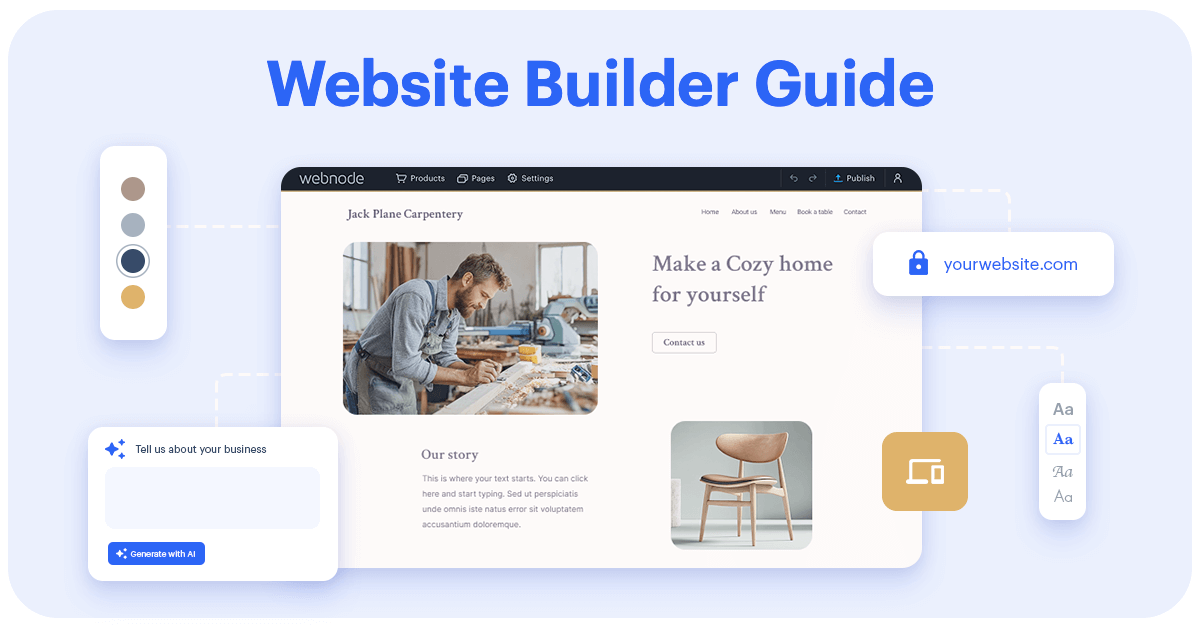
Want to build a website for your small business, side hustle, or personal project but don’t know where to start? A website builder makes it possible to create a professional site in minutes – without coding, without stress, and even for free. Find out more about what a website builder is, why you need one, how it works, and what to look for when choosing the right tool.
Index
- Why Website Builders Matter: The Data
- Why Create a Website?
- What Is a Website Builder?
- Types of Website Builders
- AI Website Builders
- Pros and Cons of Website Builders
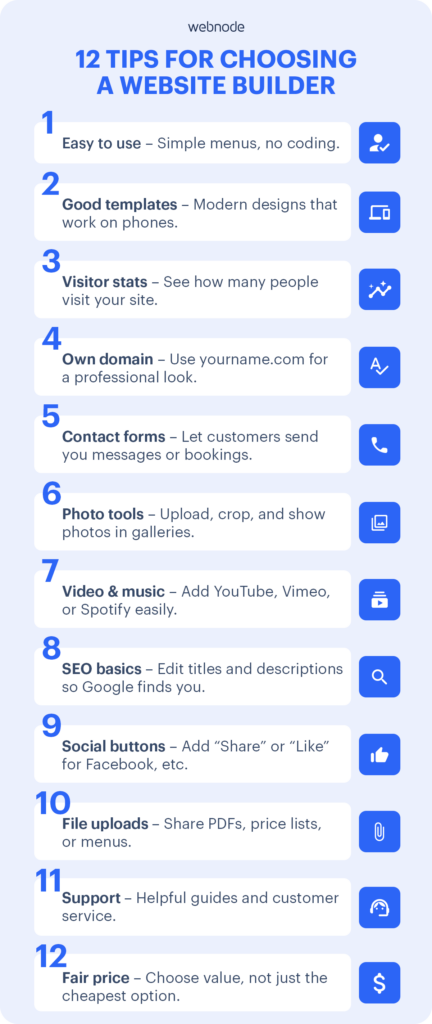
- Tips for Choosing the Best Website Builder
- Free vs. Paid Website Builders: What’s the Difference
- How a Website Builder Works (Step-by-Step)
- FAQs
Why Website Builders Matter
If you’re thinking about creating a website, you’re not alone—website builders are how most non-coders get online today.
- Around one-third of people (32%) have built a website before, and 74% of them used a website builder (All About Cookies).
- More than half (51%) admitted they abandoned their project due to design, layout, or security challenges – 22% never finished it (All About Cookies).
- Website builders are extremely popular: about 23 million websites were made using them, proving they’re the choice for people who don’t want or need to code (G2 Research).
Why Create a Website – For SMBs, trades & individuals
Whether you’re running a small business, starting a side hustle, or showcasing your hobby, a website gives you benefits that social media alone cannot:
- Professional image – customers trust you more.
- Findability on Google – most people search online before buying.
- Control – you own the site, not an algorithm.
- Leads & sales 24/7 – your website works even when you’re off the clock.
- Scalability – start simple, grow into an online store or blog later.
What Is a Website Builder
A website builder is software that allows you to design and publish a website without writing a single line of code. You choose a template, customize text and images, and hit publish. Builders often include features like contact forms, photo galleries, maps, and e-commerce tools.
Types of Website Builders (with examples & difficulty)
Not all builders work the same way. Here are the main types—with familiar brands and who they’re best for:
AI Website Builders (Beginner-friendly, fastest option)
AI website builders are the newest category. Instead of starting from scratch, you answer a few simple questions (for example: What type of business do you run? Do you want a contact form?) and the AI creates a ready-made website design for you.
Benefits of AI website builders:
- Save time → get a complete website draft in minutes.
- Remove stress → no blank page, no guesswork.
- Easy to edit → use drag-and-drop to adjust text, colors, or images.
- Free to use → Build and keep your AI-generated website without paying.
Drag-and-Drop Builders (Beginner-friendly)
Move text, images, and buttons visually—no code.
Website makers: Webnode, Wix, Squarespace, Weebly.
➡ ️ Best for: absolute beginners and small businesses who want to get online fast.
Template-Based Builders (Beginner → Intermediate)
Choose a ready-made design (restaurant, plumber, portfolio) and customize.
Examples: Webnode, Hostinger, GoDaddy Website Builder.
➡ ️ Best for: beginners who want structure with a bit of flexibility.
Visual Editors (Intermediate → Advanced)
Live editing with finer design control, more settings.
Website makers: Webflow, Framer, HubSpot CMS.
➡ ️ Best for: users with some design/tech skills who want more control.
WYSIWYG Editors (Advanced / Expert)
“What You See Is What You Get.” Powerful, but can feel technical.
Website makers: WordPress (classic editor plugins), Adobe Dreamweaver, Network Solutions builder.
➡ ️ Best for: advanced users (comfortable with HTML/CSS).
Pros and Cons of Website Builders
Advantages
- Easy for beginners—no coding.
- Affordable vs. hiring a developer.
- Mobile-friendly designs included.
- AI tools can generate layouts and starter copy fast.
Disadvantages
- Less flexible than hand-coding.
- Some advanced features are on paid plans.
- Switching templates later may be limited in some tools.
Free vs. Paid Website Builders: What’s the Difference
Webnode Free Website Builder
For testing ideas, student projects, or very small personal sites.
- $0 forever.
- Your site address looks like: yoursite.webnode.page (not your own.com).
- Small Webnode ads show at the bottom.
- Enough space for a simple website with text and a few photos.
Webnode Premium Plans
- Limited – $3.90/month
Good for hobby or family websites.
- Remove ads.
- Connect your own domain name (e.g., mybakery.com).
- Basic website features: add text, photos, contact page.
- Remove ads.
- Mini – $7.50/month
Best for your first business website.
- Free custom domain for 1 year (e.g., plumber-john.com).
- Create email addresses with your domain (e.g., info@plumber-john.com).
- Contact forms so customers can send you inquiries.
- More space for photos and pages compared to Limited.
- Free custom domain for 1 year (e.g., plumber-john.com).
- Standard – $12.90/month
Most popular plan for small businesses.
- Everything in Mini.
- Larger website size: add many more photos, text, and pages.
- Connect Google Analytics (free Google tool that shows how many people visit your site).
- Premium templates (extra professional designs to choose from).
- Website backups: restore your site if you make a mistake.
- Everything in Mini.
- Profi – $22.90/month
For growing businesses or professionals.
- Everything in Standard.
- Multilingual websites (e.g., English + Spanish version).
- Private pages with member login (e.g., for clients or employees).
- More space for bigger projects.
- Everything in Standard.
- Business – $31.90/month
Best for online stores or larger organizations.
- Everything in Profi.
- Full e-commerce features (add products, prices, checkout).
- Unlimited space for content and visitors.
- Priority customer support.
- Everything in Profi.
How a Website Maker Works (Step-by-Step with Webnode)
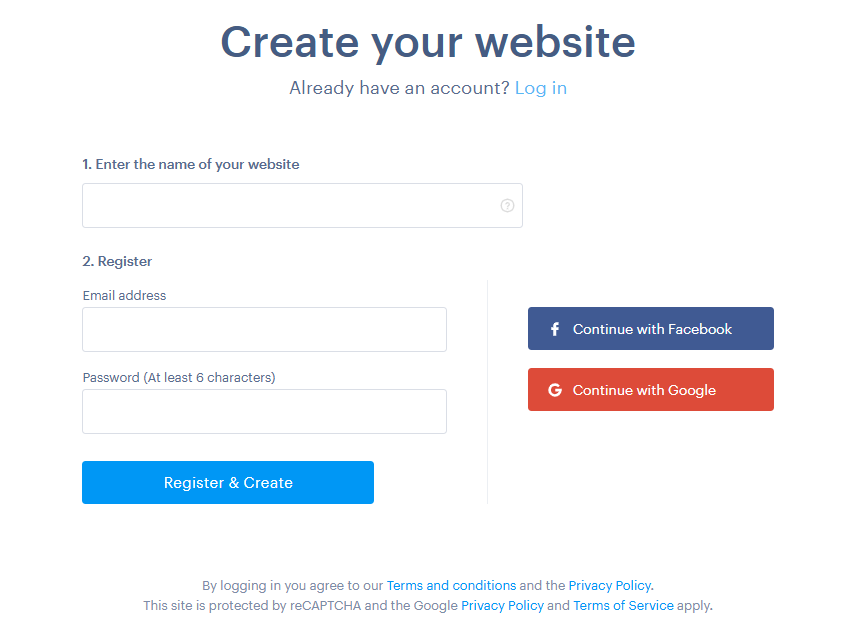
- Sign up for free – no credit card needed. Start here.
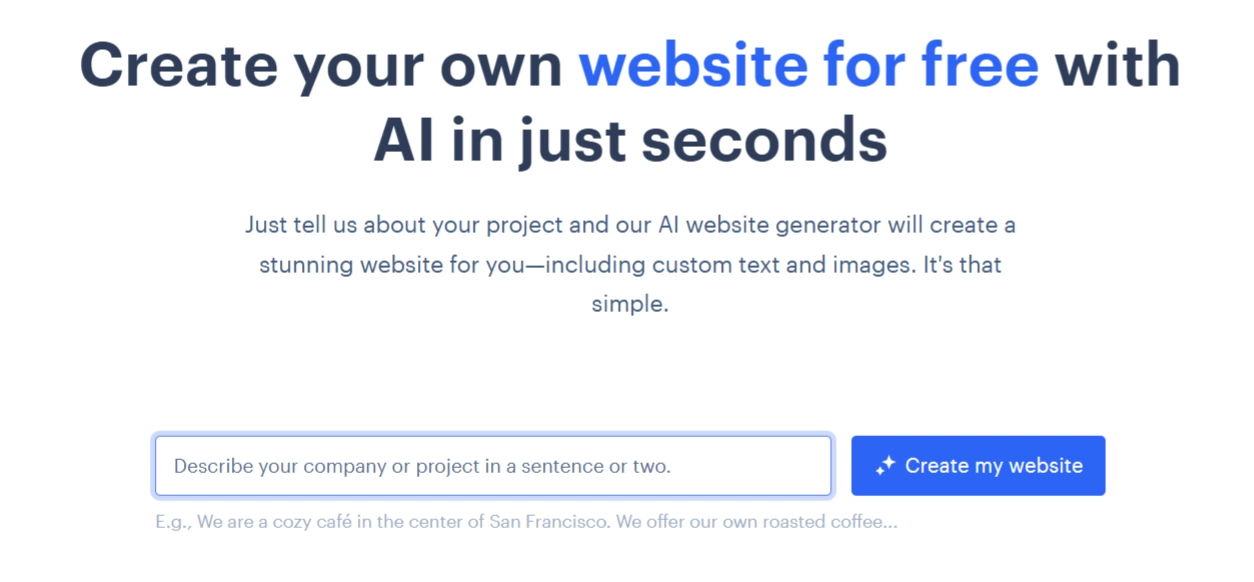
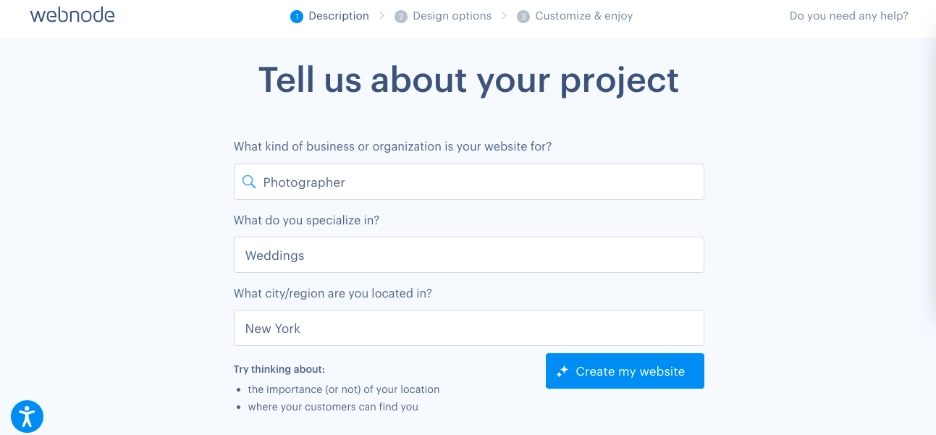
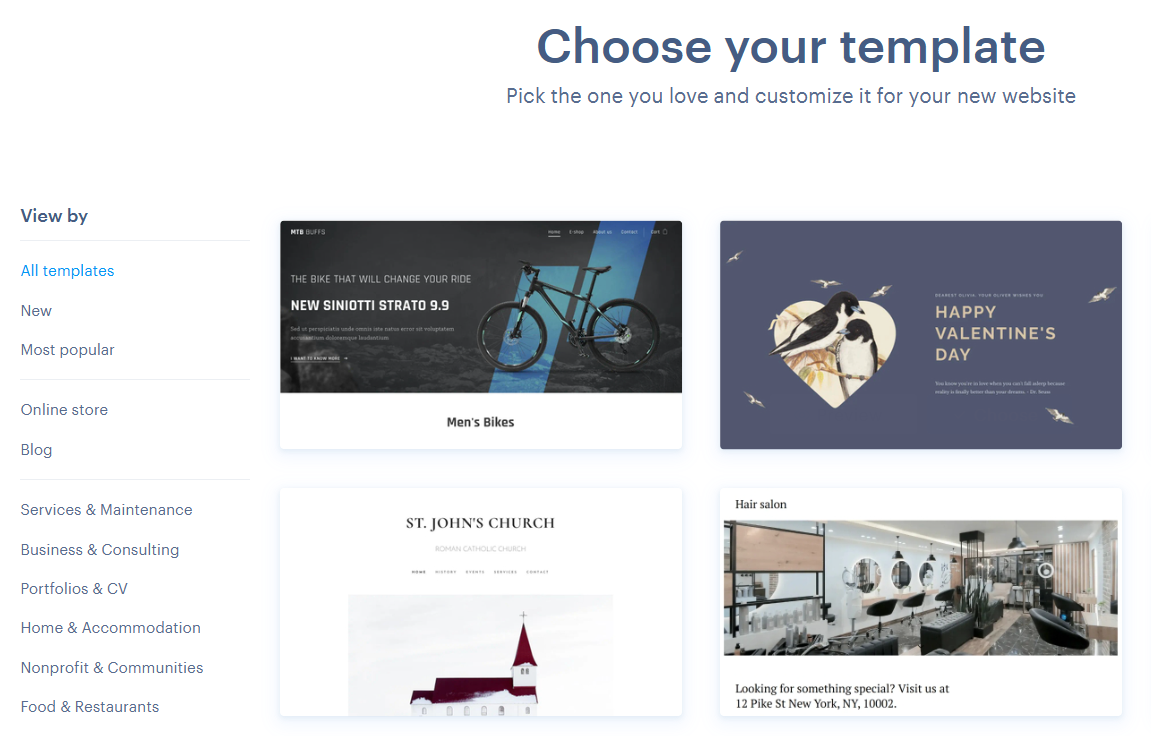
- Create your website with AI or templates – AI speeds up the creation process in just 5 steps or you can choose a ready-made design (for businesses, shops, restaurants, portfolios, and more). See templates.
- 2.A: Using the AI website builder
- 2.B: Choosing a template
- 2.A: Using the AI website builder
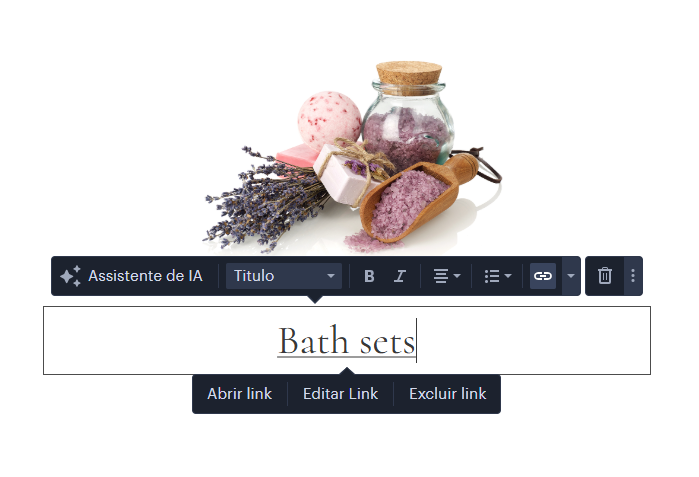
- Make it yours – change text, add your photos, move buttons, and add a contact form with simple drag-and-drop.
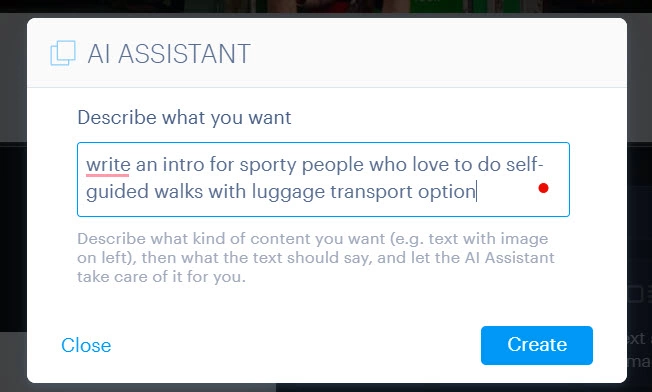
- Get AI help – answer a few questions and let AI suggest a layout and starter text.
- Publish your site – go live in just a few minutes.
- Use your own domain & email – upgrade when ready (Mini/Standard/Profi plans include a free domain name for the first year, e.g., yourbusiness.com).
- Grow over time – improve your visibility on search engines like Google with basic SEO settings on your website (edit titles and descriptions for each page), create a blog, open an online store, or make your site multilingual.
FAQs About Website Builder Tools
Where can I build my own website for free
Several website builders let you start for free, including Webnode, Wix, Weebly, Squarespace, and Hostinger. With Webnode, your site stays free forever – no trial limits.
What’s the easiest way to make a website
The easiest way today is to use an AI-powered website builder. You answer a few simple questions, and the AI creates a ready-made website design for you. With Webnode, you can then adjust it using drag-and-drop — no coding needed. It’s perfect for beginners or tech rookies who want a professional site fast.

Are free websites secure
Yes. With Webnode, your free website is safe and shows the little padlock 🔒 in the browser so visitors know it’s secure.
Can I use my own domain on a free plan
No — free sites use an address like yourname.webnode.page. To use your own domain (like yourbusiness.com), you’ll need a Premium plan.
How long can I keep a free website
As long as you want. Your free website stays online forever, as long as you keep your account active.
What’s the minimum cost to build a website
You can start for free. Most small businesses choose a plan around $7–13 per month to get their own domain name and professional features.
Is it better to code or use a website maker
For beginners and small businesses, a website builder is faster and cheaper. Coding is only needed if you want something very advanced or custom.
What website builder do most people use
Popular choices are Webnode, Wix, Squarespace, and Weebly. They all let you start for free.
Can AI build me a website for free
Yes. Webnode’s AI can create your starter website in seconds, free of charge. It’s one of the easiest options for beginners or tech rookies.
Is it hard to build a website from scratch
Yes. Coding a site from scratch takes a lot of time and skill. A website builder removes that hassle so you can launch quickly.
Didn’t find the answer you’re searching for, or have additional questions? Check our Help Center or contact our customer support – available 7 days a week, usually replying within 24 hours.
Website builders are the fastest, easiest, and most affordable way to create a professional online presence. Don’t wait, start simple and grow your site alongside your business.

Martina Zrzavá Libřická is a Freelance SEO Consultant at MartiSEO with 13+ years of experience both in-house (IKEA, Emplifi – formerly Socialbakers) and agency (Accenture). She specializes in International SEO, Product Management, and Strategy. Martina is an active mentor at Women in Tech SEO, The Freelance Coalition for Developing Countries, and privately. She enjoys organizing workshops and training for organizations or individuals. Martina actively publishes about SEO on LinkedIn in the Czech Republic to dispel the myths and educate people in organic search topics.